SlashZero System Requirements
Minimum versus recommended PC specs for the Windows demo, plus controller notes.
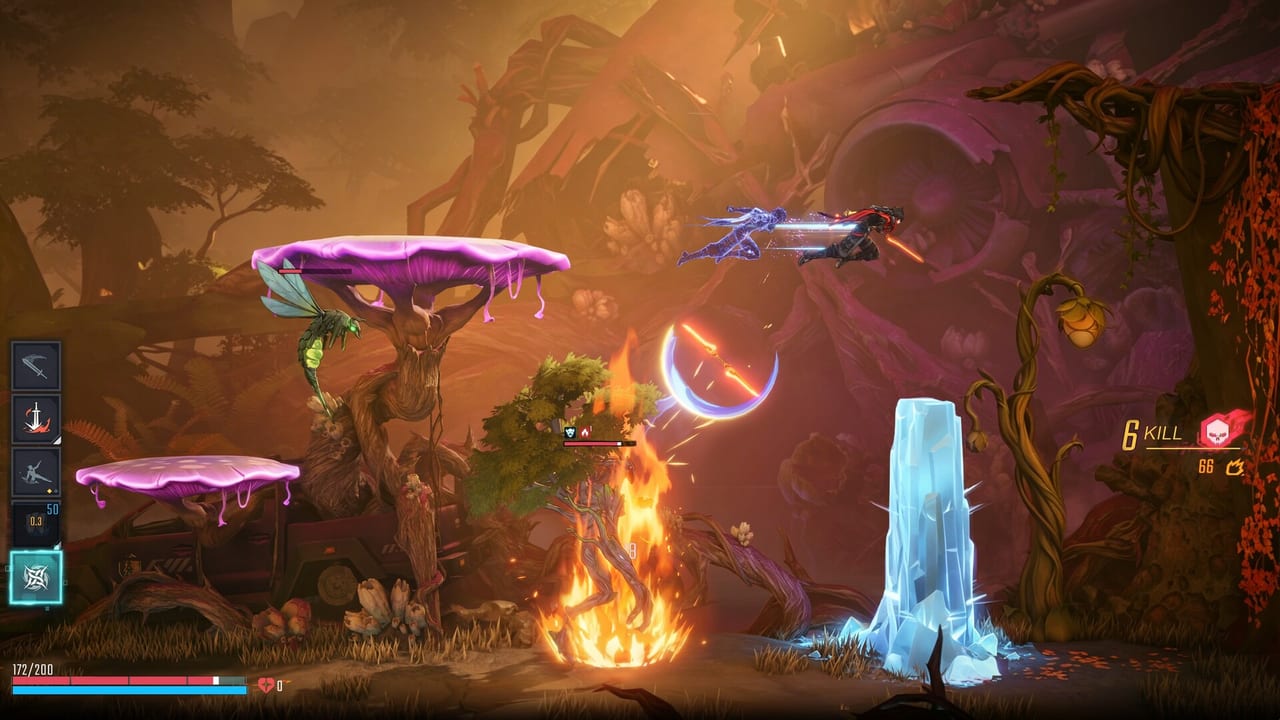
Streetlamp Studio prints one PC spec sheet on Steam for SlashZero (app 4061170) and repeats it in the September 2026 demo FAQ. This page is that sheet in table form, plus the caveats the store page does not spell out. The PC demo is Windows only. PlayStation 5 has its own demo listing and does not use this GPU table.
These numbers describe the upcoming game’s current public target and the demo you can install during 3–23 September 2026. They are not a 4K launch promise and not a Steam Deck verification.
Minimum versus recommended
| Item | Minimum | Recommended |
|---|---|---|
| OS | Windows 10 64-bit | Windows 10 64-bit |
| CPU | Intel Core i5-7300U @ 2.6 GHz or AMD Ryzen 3 3300U @ 2.1 GHz | Intel Core i7-8700 @ 3.2 GHz or AMD Ryzen 7 3700X @ 3.6 GHz |
| Memory | 8 GB RAM | 8 GB RAM |
| GPU | NVIDIA GeForce GTX 1050 or AMD Radeon RX 560 | NVIDIA GeForce RTX 2080 or AMD Radeon RX 6700 XT |
| API | DirectX 12 | DirectX 12 |
Both columns require a 64-bit Windows 10 install. Streetlamp does not list Windows 11 as a separate tier; 11 usually runs 10-targeted DX12 titles, but it is not a printed requirement. There is no macOS row, no Linux row, and no storage-size row on the public sheet.
Read the GPU jump honestly
The minimum GPU is a GTX 1050 / RX 560. The recommended GPU is an RTX 2080 / RX 6700 XT. That is a large generational gap: Pascal 15-series laptop/desktop parts versus Turing high-end / RDNA2 upper-mid. Streetlamp is not saying a 1050 will look like a 2080. The min column is the floor for the demo to boot and play. The rec column is the card they want for the combat read they designed — aerial strings, dense particle Blessings, and late-sector crowds.
If you sit in the middle (GTX 1660, RTX 2060, RX 6600), you are above min and below rec. Expect to use whatever in-game quality slider exists rather than assuming 60 FPS at default. Streetlamp has not published a per-preset FPS table.
RAM is not the lever
8 GB sits on both columns. Upgrading from 8 GB to 16 GB may help a noisy Windows install, but it is not a requirement Streetlamp printed. If a video overlay tells you SlashZero “needs 16 GB,” that is not the Steam sheet. GPU and CPU are the actual jumps.
CPUs: U-series minimum, desktop recommended
The minimum Intel chip is a Core i5-7300U, a 15 W Kaby Lake laptop part. The minimum AMD chip is a Ryzen 3 3300U, also a laptop APU. Streetlamp is telling you a thin 2017–2019 notebook can meet the floor, not that it will hold 60 FPS in a Hamlet crowd clear.
The recommended chips are a Core i7-8700 (six-core Coffee Lake desktop) and a Ryzen 7 3700X (eight-core Zen 2 desktop). If you are on a 7300U-class laptop, stay in the minimum mental model: lower effects, fewer background apps, and do not chase the rec column.
DirectX 12
Both tiers list DirectX 12. A DX11-only GPU is outside the sheet. Update the Game Ready / Adrenalin driver before you file a demo bug; Streetlamp’s FAQ already asks for environment screenshots when a map fails, and a five-year-old driver wastes that report.
Windows-only PC demo
The September 2026 demo FAQ is explicit: only Windows is supported for this demo. Keyboard and mouse and controllers both work. Steam Deck compatibility on the store page is Unknown. Proton or Cloud Gaming workarounds are community experiments, not Streetlamp support.
PlayStation 5 players skip this table entirely and use the PS5 demo listing. Platform coverage and wishlist steps are on platforms and wishlist. How to spend the demo window is on the demo guide. First-hour loop, camp NPCs, and death rules are on getting started.
Controller and keyboard
Steam lists full controller support, PlayStation controllers (including DualSense), Xbox controllers, and a developer recommend-a-pad note. The demo FAQ says both PS and Xbox pads work in the test. If face buttons do nothing:
- Steam Library → SlashZero → Properties → Controller
- Change Override for SlashZero to Enable Steam Input or Disable Steam Input
- Restart the game
Keyboard and mouse remain a valid path. Streetlamp still recommends a pad for the aerial strings. DualSense features on PS5 follow Sony’s usual title support; Steam does not print a separate haptic checklist on the spec table.
How to use this sheet
Match OS + DX12 + RAM first — those are binary. Then place your GPU on the 1050-to-2080 line. Then decide whether your CPU is a U-series floor or a desktop rec. If you fail OS or DX12, stop; the demo will not meet you halfway. If you pass min and fail rec, install anyway during the demo window and judge frametime yourself. The wipe on 23 September 2026, 15:00 UTC means a bad first hour costs you a download, not a save file you needed to keep.
If you are on a 7300U laptop, expect the minimum bar, not the recommended bar. Streetlamp listed those U-series chips on purpose; they are a floor, not a marketing flex, and the rec GPU jump is where the sheet actually spends its budget.
Frequently Asked Questions
Quick answers for Timehackers jumping into the demo or planning for launch.
What GPU do I need for SlashZero?
Minimum is GTX 1050 or RX 560. Recommended is RTX 2080 or RX 6700 XT. Full table: system requirements.
Why is RAM 8 GB on both minimum and recommended?
Streetlamp printed 8 GB on both columns. The jump they care about is GPU (and CPU), not memory. 16 GB is not a listed requirement.
Is the PC demo Windows only?
Yes. The demo FAQ supports Windows 10 64-bit only. The PS5 demo is a separate listing. See platforms and wishlist and the demo guide.
Can I play with keyboard and mouse?
Yes. The demo supports keyboard and mouse and controllers. Streetlamp recommends a controller for combat. First-hour tips: getting started.
Does SlashZero need DirectX 12?
Yes. Both minimum and recommended list DirectX 12. A DX11-only card sits outside the sheet.
Will a Core i5-7300U laptop run the demo?
That chip is the printed minimum, paired with 8 GB RAM and a GTX 1050-class GPU. Treat it as a floor, not as the recommended experience.